


One Prompt, Four Image Models: tuomiAI Creative in Practice
19.11.2026 · AI image generation
Four image models, one identical prompt: we had the same bookshop rendered by Google, OpenAI, xAI and Hugging Face – and show where the results differ.
tuomiAI Creative is the image and video studio of the tuomiAI platform. Instead of a separate subscription and a separate interface for every model, several providers sit in one tool – from the prompt and reference images to post-processing. We took a look at the demo account and ran four image models against exactly the same prompt.
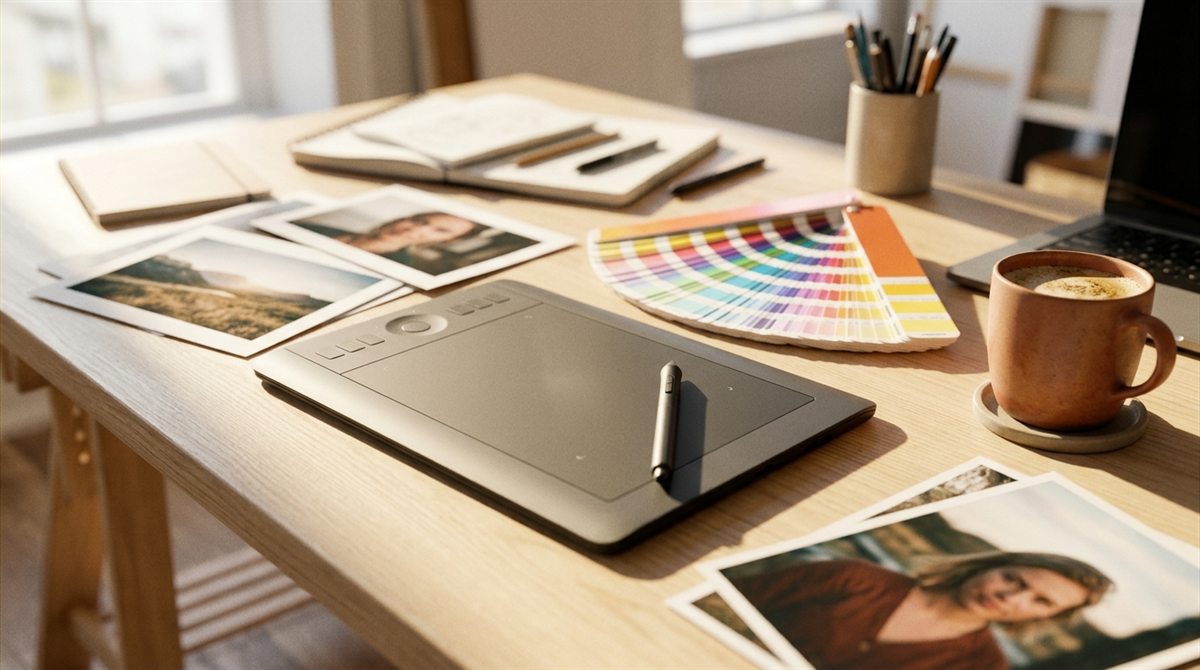
One studio, many providers
The interface is deliberately plain: prompt, format and model on the left, the result on the right. In between sit the controls that make the difference – up to four reference images, ten categories of art styles and an editing mode that works without regenerating. Everything runs in the browser; processing happens on the platform, hosted in the EU.
Which models an account can see is decided by the tenant: the administrator releases image models per user or plan. At the time of writing, eight models were released in the demo account.
The comparison: one prompt, four models
For a fair comparison we kept everything identical: the same prompt, the same format (1:1), no art styles, no reference images. Only the model changed. That makes visible how differently four providers read the same description.
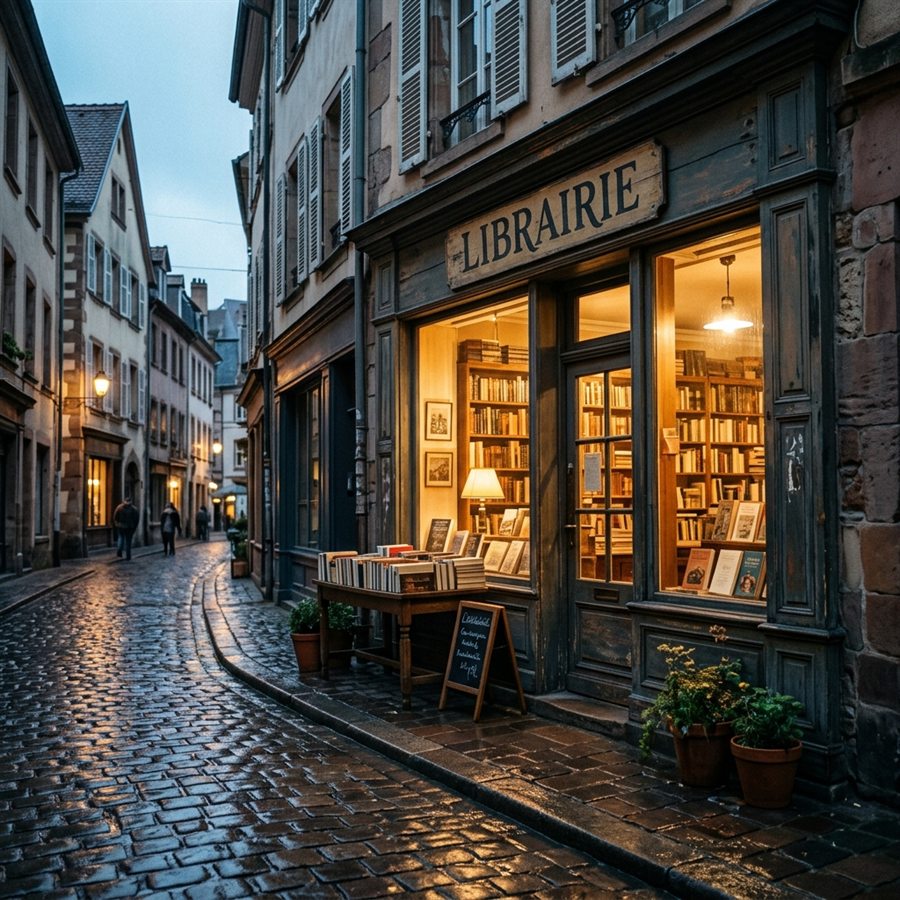
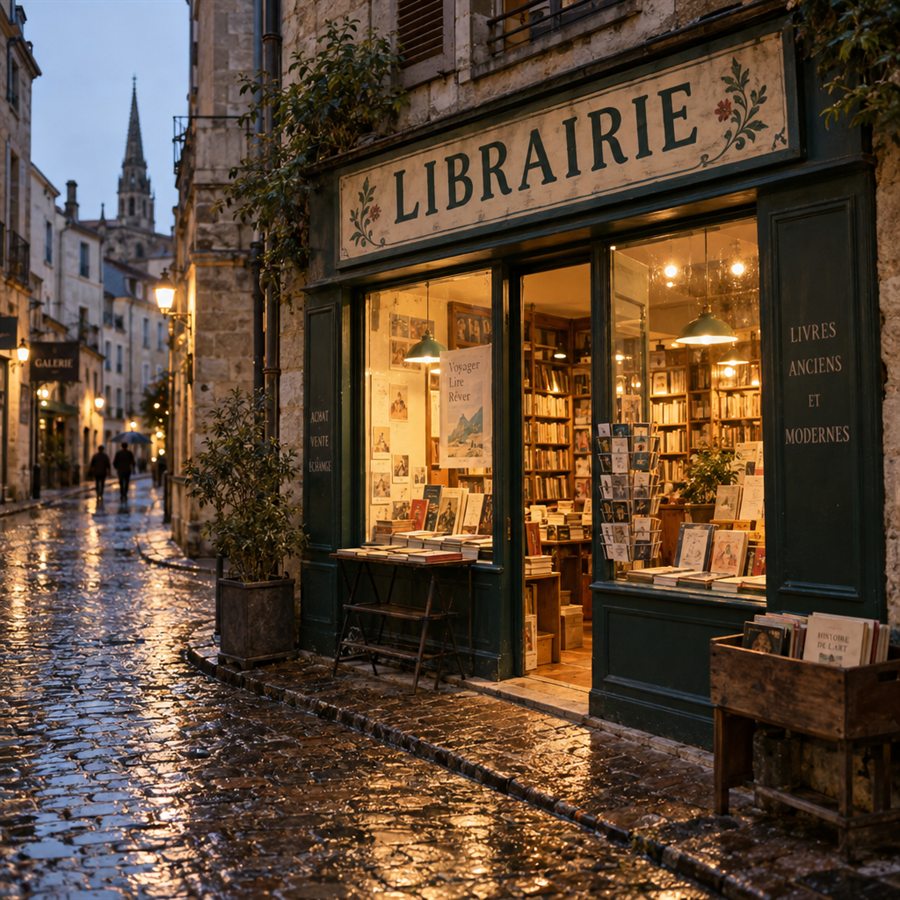
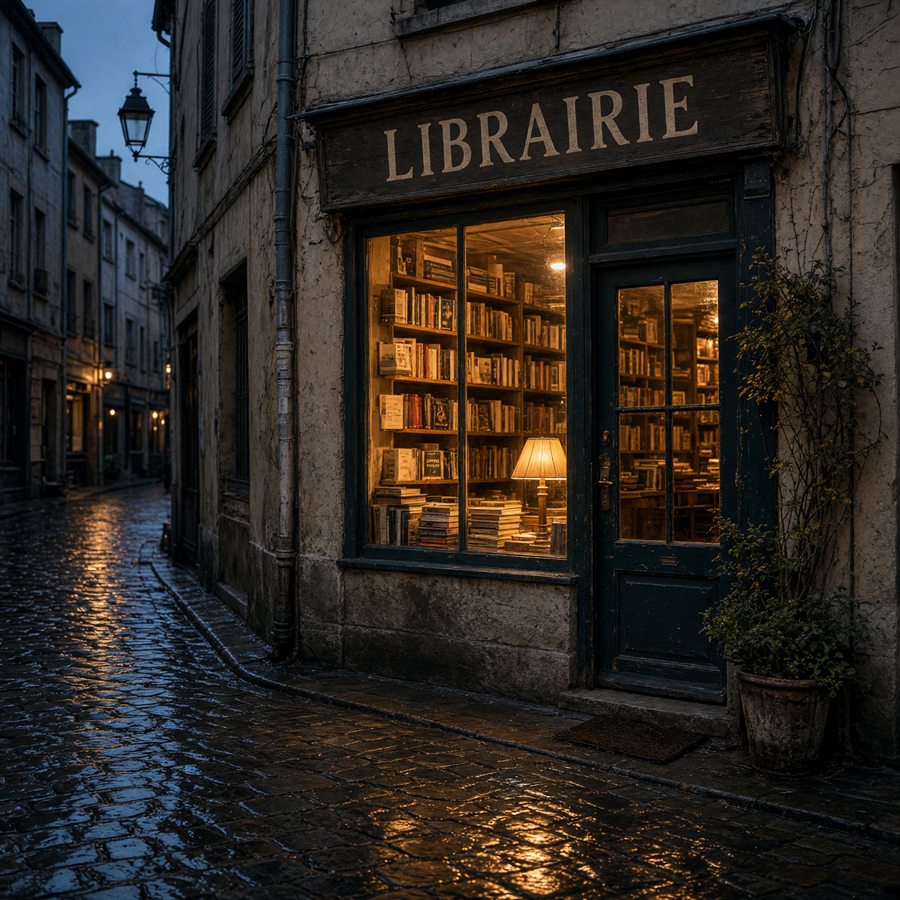
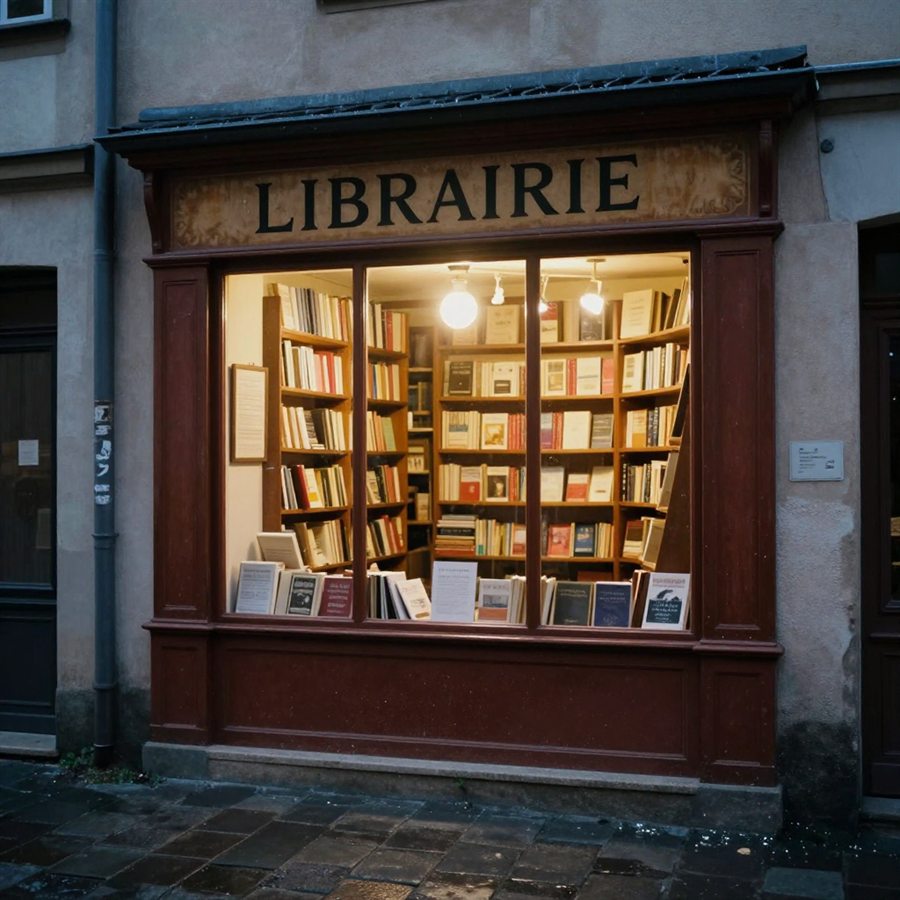
The prompt: “A small bookshop in a European old town in the early evening, warm light from the shop window, wet cobblestones after a rain shower, a hand-painted sign above the entrance reading ‘LIBRAIRIE’, photorealistic, 35 mm look.”
We used the latest released model from each provider: Google Nano Banana 2.1, OpenAI ChatGPT Images 2.5, xAI Grok Imagine Quality and Hugging Face Z-Image-Turbo.
What sets the results apart
With an identical prompt, four axes become visible:
- Composition: a street scene with depth (Google), a frontal view (OpenAI), a darker crop (xAI), a pure shop-window close-up (Z-Image).
- Typography: OpenAI renders type most cleanly and adds decorative elements; Google and Z-Image spell the sign correctly; on xAI it looks flatter.
- Light and atmosphere: Google and xAI lean heavily into mood and contrast, Z-Image stays more neutral.
- Speed: from about eight seconds (Z-Image-Turbo) to roughly 43 seconds (ChatGPT Images 2.5) for the same task.
These are snapshots: image models are updated frequently and another prompt shifts the ranking. In practice that means running two or three models against each other whenever a motif matters, instead of looking for the one right model up front.
The tools inside the studio
The real strength is less the individual model than everything around it. After generation the result can be edited right away: describe in plain text what should change, or – with the ChatGPT image models – mark areas in the image and correct them specifically. If you already have a template, upload it as a reference image instead of describing it again.
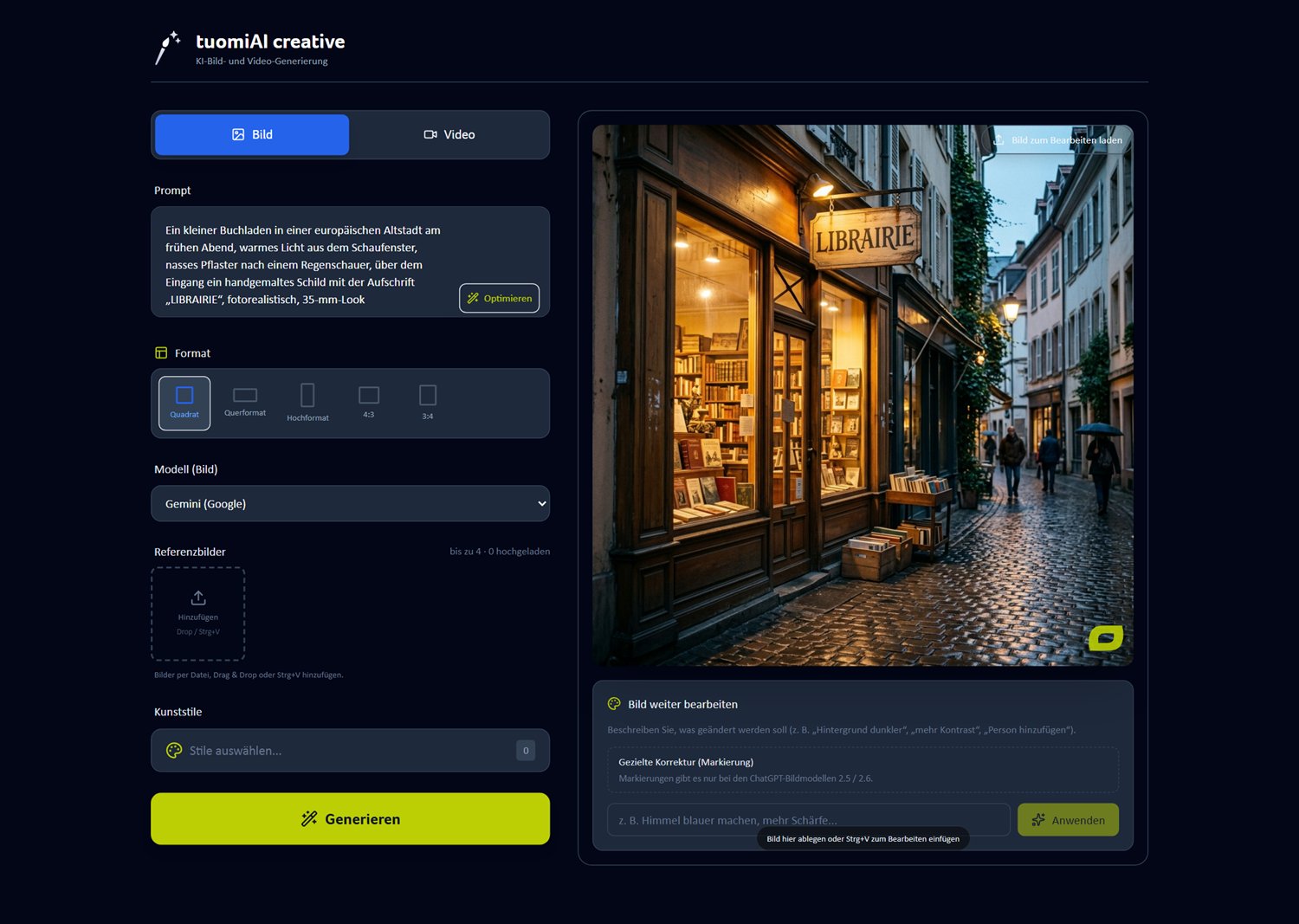
Five formats are available: square (1:1), landscape (16:9), portrait (9:16) as well as 4:3 and 3:4. That saves cropping afterwards for websites, presentations or social stories. Up to four reference images can be added – the lever for product shots, brand worlds and recurring characters.
“Load image for editing” reopens the generated or uploaded image in the studio. Instead of rewriting the whole prompt, you describe only the change – “darker background”, “more contrast”, “remove the person on the left”. It is the fastest way to variants that clearly belong to the original.
Art styles: from cave painting to digital
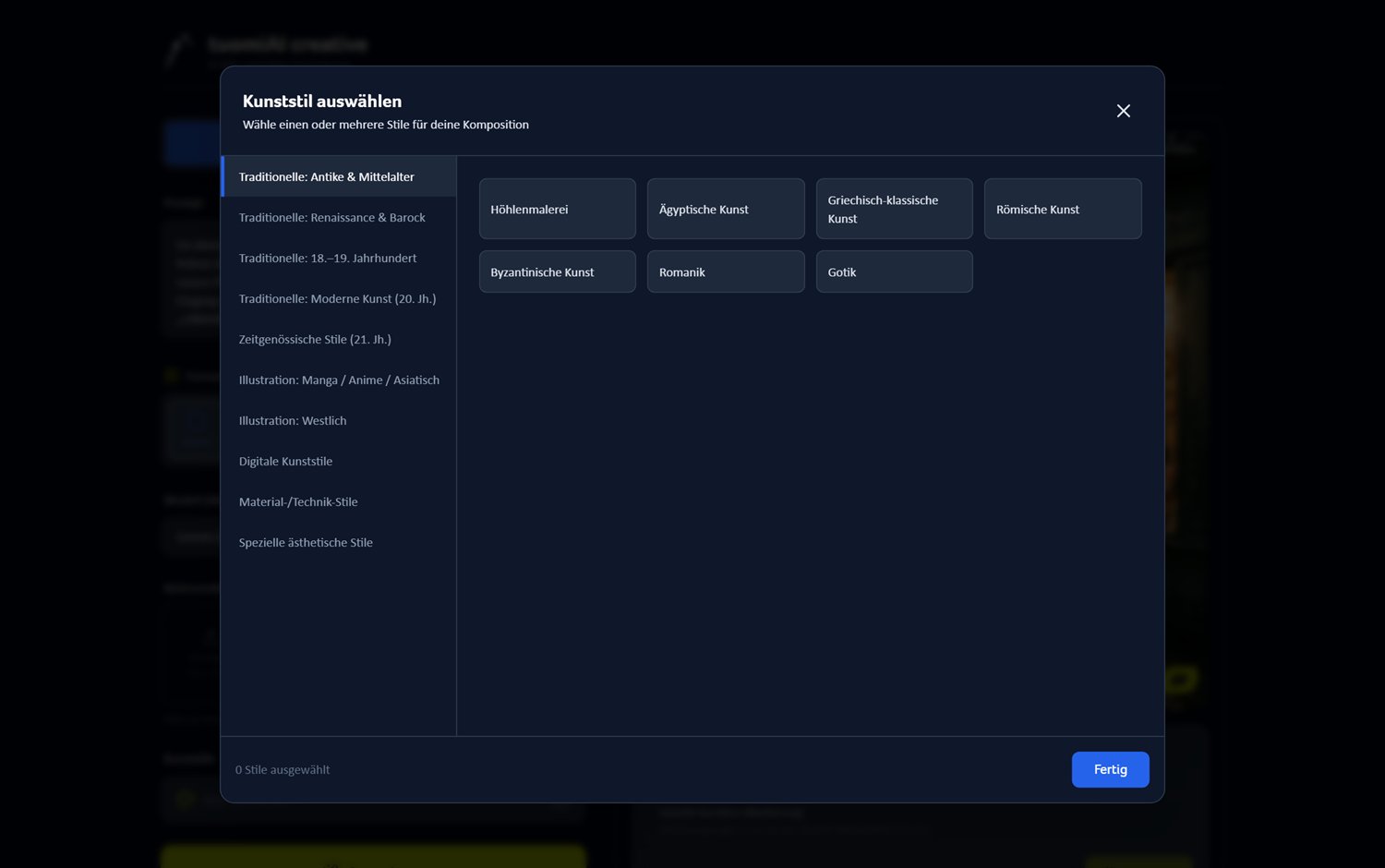
Ten categories bundle dozens of styles – from antiquity and the Middle Ages through the Renaissance, Baroque and modernism to illustration, digital art and material or technique styles. A style can be applied to the composition in a few clicks, and several styles can be combined.
Which models the platform knows
The platform's model catalogue lists twelve image models. Which of them an account sees depends on the release – eight were active in the demo account:
| Model | Provider | Strength |
|---|---|---|
| Gemini / Imagen | Default; reference images and image editing | |
| Imagen 4 | Text-to-image with very high quality, no references | |
| Nano Banana 2 | Strong on style fidelity and reference images | |
| Nano Banana 2.1 | Up to 14 reference images, sharper text in the image | |
| Z-Image-Turbo | Hugging Face | Very fast; no reference images |
| ChatGPT Images 2.0 | OpenAI | Text-to-image and multiple reference images |
| ChatGPT Images 2.5 | OpenAI | Text-to-image, several references, markings |
| ChatGPT Images 2.6 | OpenAI | Newest version; best editing precision |
| Grok Imagine Quality 2K | xAI | 2K output, up to three references |
| Grok Imagine Quality (Legacy) | xAI | Existing releases, same engine |
| MiniMax image-01 | MiniMax | Subject reference, especially characters and portraits |
| Stability AI SDXL | Stability AI | Text-to-image and image-to-image |
As of November 2026, taken from the platform's model catalogue. Which models are available is decided by the tenant per user or plan.
Practical tips to get started
- Pick the format first, then the model. A 16:9 image for a website needs a different composition than a 9:16 story.
- Be specific in the prompt: motif, light, perspective, style and camera in one sentence – like the example above.
- Test two models in parallel when a motif matters. The difference is bigger than the price difference.
- Use reference images for brands: upload the product or logo once instead of describing it in every prompt.
- Use art styles sparingly: one style plus a clear prompt usually works better than three styles at once.
Conclusion
tuomiAI Creative is not a single image model but a workbench for several. That is exactly the advantage in daily work: one prompt, four results, one tool – and the choice of what fits the motif best. Once you have seen the models side by side, you decide much faster.
Transparency: all images in this article were created in the demo account of the tuomiAI platform. The comparison images used an identical prompt, format 1:1, no art styles and no reference images.